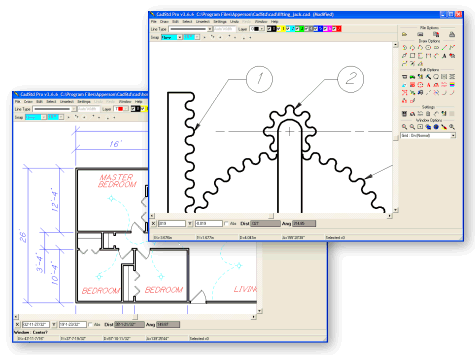
Added new keyboard shortcuts.
New Join Line command to combine two lines (or polylines) into a single polyline.
Enhanced Export options, including PDF and Postscript output in the Pro version.
Added Decimal Feet option (i.e 1.25').
Export Layer Control.
NSIS Installer, for smaller faster 32 bit installs.
Mouse Wheel Zoom.
Integrated User's Guide and added to Help menu. (Pro only)
Added Pixel to ends of lines that lineto omits (makes small text more accurate).
Added DecimalSeparator:='.' to correct file export svg errors where a comma is the default.
Added ability to enter 1.5' as an alternative to 1'6" or 18".
Updated the Draw and Edit section of the help file. (Pro and Lite)
Higher resolution for Edit/Copy Clipboard/Vector. Image quality is much better for pasting into word processors.
New File/Open Samples and more sample files in distribution.
Arc Absolute (AA) support in HPGL import. (Pro only)
Scalable Vector Graphics (SVG) export support in Pro. (Now you can export your drawings to a
compact vector format (SVG) and add them to your web pages.
Click here for details.)
Extended DXF to import block/insert information.
255 level undo/redo commands in Pro. 4 level undo/redo commands in Lite.
Ellipse command.
B-Spline command.
Change Entity command to allow the simple editing of drawing elements.
Added a dialog to Change Layer command to allow the selecting of a specific layer instead of using the default layer.
Isometric Grid support. (Pro Only)
Fillet command (Pro only)
Chamfer command (Pro only)
Replace Text command (Pro only)
Project command (Pro only) to allow the projection of Orthographic information into Isometric Cabinet or Cavalier views.
Import Gedcom command to allow the importation of family history pedigree chart data (Pro 12 generations, Lite 5 generations) .
Angular and Radial dimension primitives (Pro only).
Layer Support in Lite.
New Features in version 3.0 (May, 2000)
Layer support. (Pro version only)
Ability to print a large drawing on a small printer. (Pro version only)
Radial Dimensions. (Pro version only)
Angular Dimensions. (Pro version only)
All icons visible. No more tabbed icon sections.
Angle snapping.
Ability to change text size on entry or edit.
Dimension and Arrowhead style variations.
Auto-simplify Dimension on creation option.
Angular Dimension Style (Minutes/Seconds or Decimal).
Seperate General, Angular and Radial dimension accuracy control.
Linetype selection available in main window.
Architectural values smallest unit now 1/32" instead of 1/16".
Variable Line Widths.
Fraction Inches unit type
|